
Log in & complete your first deal application.

Once you have logged in, you will land on the portal dashboard.
Please look at the annotations below to become more familiar with the portal.
Please note you will only see details in the Deal Status area (7 & 8) when you start the process.
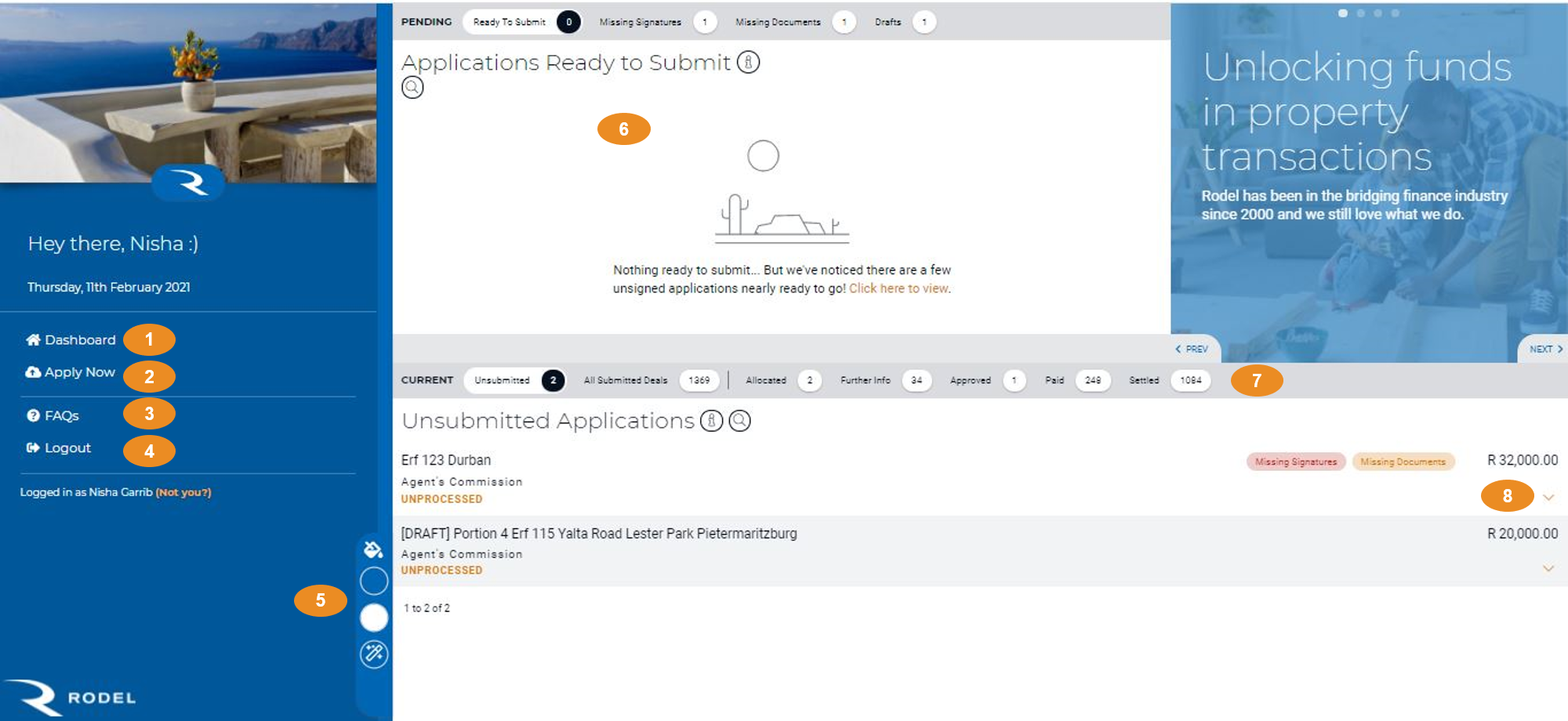
Annotations:
- Dashboard “home page”.
- Apply – Access application forms.
- FAQs – Frequently asked Questions.
- Login/Logout.
- Screen view options.
- Application ready to submit Summary – click sub-headings according to outstanding requirements.
- Summary of deal status in the system.
- Arrows expand option to see details of the deal.
A closer look at the Deal status area:
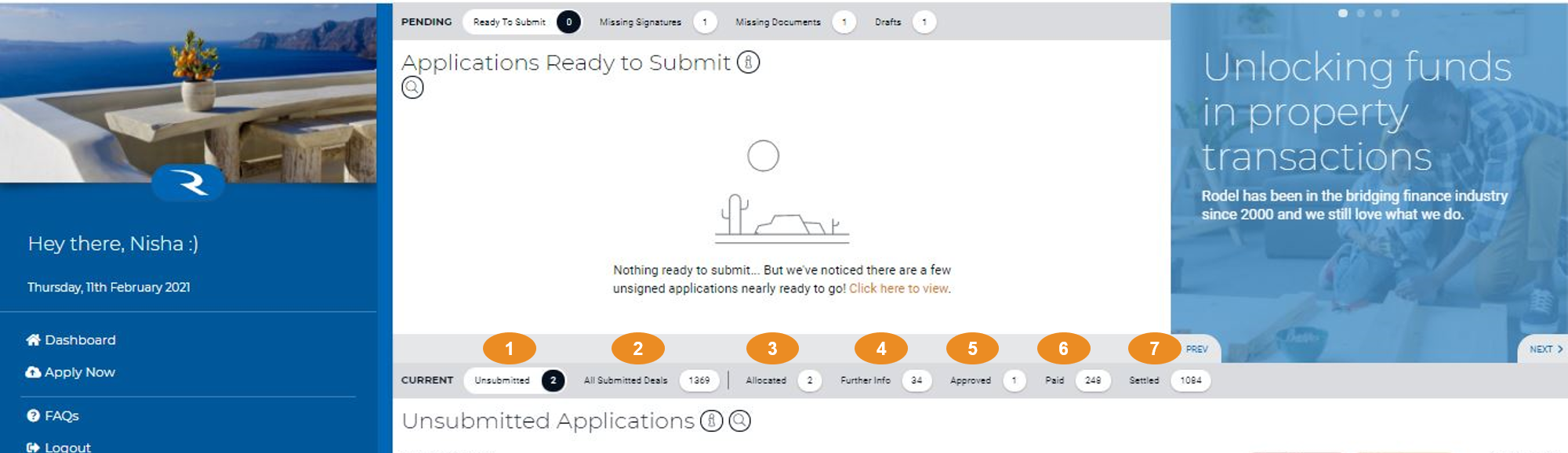
Annotations:
- Deal applications that you have started but have not submitted yet.
- These are all your submitted deals – everything from applications that have just been allocated to risk analysts all the way through to settled deals.
- Your application has been assigned to a RA.
- Our RA’s are currently working on these deals. These deals are on hold while we get additional information.
- Approved deals. – awaiting payment
- These deals have been paid. You can get a settlement quote any time by clicking on the deal and then selecting “Settlement Quote” in the “Download” section.
- Deals that have been paid and are therefore concluded/settled. Done and dusted! These deals have been fully settled. You can get a settlement quote any time by clicking on the deal and then selecting “Settlement Quote” in the “Download” section.